I started this job in 2020, just as the solar industry was hitting its stride. Back then, my biggest worry was whether the inverters we ordered would actually show up before the install crew finished their coffee. Now, after managing over 80 orders across multiple vendors, my focus has shifted. It's not just about inventory; it's about closing the gap between what the sales rep promised and what actually arrives on the loading dock.
SolarEdge's 12.6 GW shipment figure for 2023 is impressive (and it's a solid benchmark for market health), but that volume also means tighter logistics and more chances for mix-ups. If you are a buyer for a mid-sized installer or a commercial fleet operator, you can't afford to assume the pallet is right. This 6-step checklist is my personal fail-safe. It's designed to catch the GOTCHAS before they become a five-day rework headache.
Who This Checklist Is For
If you check any of these boxes, this list is for you:
- You place bulk orders (20+ units) for residential or commercial SolarEdge systems.
- You are responsible for verifying SKUs, model numbers, and firmware versions.
- You've ever had to explain to your VP why a shipment of power optimizers didn't match the BOM.
- You want to leverage the 12.6 GW shipment data as a talking point with vendors (without sounding like you are just reading a press release).
This isn't a theory class. This is the afternoon workbench of a buyer who learned the hard way that 'same spec' doesn't mean 'same SKU'.
Step 1: Verify the Core Shipment Data Against the 12.6 GW Context
Don't just count boxes. Compare the shipment's specific power rating (e.g., 7.6 kW inverter) against SolarEdge's '12.6 GW' claim. That figure represents total inverter shipments, not just residential. It includes their commercial 3-phase units. If you are expecting a 20 kW commercial inverter and the shipping document shows a 3.8 kW residential unit, that's a red flag that might indicate a warehouse picking error.
My check: I take the total DC power of the inverters in my order (units × model rating) and cross-reference it with the bill of lading. A 10% tolerance is normal, but if it's wildly off, I call the supplier immediately.
Quick tip: If the supplier mentions the '12.6 GW milestone' as a reason for their pricing, politely ask for a breakdown of their portion. A supplier selling 10 MW of that 12.6 GW has a different cost structure than one selling 500 kW.
Step 2: The Power Optimizer SKU Trap (Especially the S500b)
This is where I messed up most. The SolarEdge power optimizer S500b looks nearly identical to the older S440. They are both black, both have the same connector shape, and they both fit into the same module frame. But they are not interchangeable. The S500b has a different startup voltage and maximum current rating. If you install an S500b on a panel that requires an S440 (or vice versa), you get a 'mismatch' error on the monitoring platform, which leads to a $400 truck roll to swap it out.
My verification routine:
- I require a photo of the label from the box before it ships. I don't trust the packing list SKU alone.
- I verify the revision number (e.g., -12 vs -15). Sometimes the label shows the same model number but a different revision, which can affect compatibility with the Home Battery.
Step 3: Check Battery and EV Charger Compatibility (The Ecosystem Test)
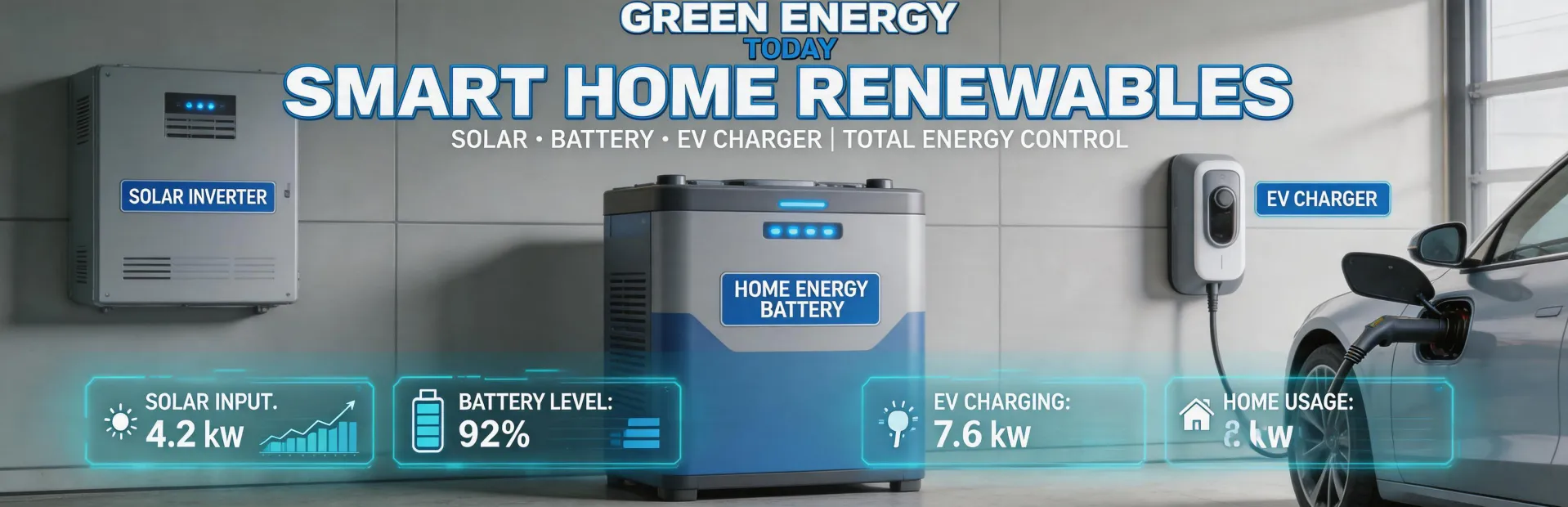
SolarEdge pushes its integrated 'home energy ecosystem' (solar + battery + EV charger). This is a great selling point, but only if the units are from the same generation. A 2023 inverter (which shipped as part of that 12.6 GW wave) might not have the native firmware to communicate with a new EV charger. I've seen a shipment of inverters that were physically perfect but had outdated firmware that required a 45-minute field update. That's a hidden cost in labor.
My checklist:
- If the order includes a Home Battery (e.g., the 400V or the newer 2nd Gen unit): Verify the inverter's firmware version against the battery's communication protocol. You can find compatibility matrixes on SolarEdge's partner portal.
- If the order includes an EV charger: Ask if the charger is a 'SolarEdge Ready' unit (which can do load balancing) or a generic unit. The generic ones work, but they don't offer the smart solar-charging feature that justifies the price premium.
Step 4: Don't Assume the 'Proof of Shipment' Equals the Final Product
I once assumed 'same specifications' meant identical results across vendors. Didn't verify. Turned out each had slightly different interpretations of what 'expedited shipping' meant. One vendor used ground; the other used air. The ground shipment arrived late and with damaged packaging.
For inverters, the 'proof' is often a photo of a generic pallet. That is not enough.
- Ask for the serial numbers of the first and last units in the batch.
- Request a startup voltage test from the supplier (or a video of one unit powering up on a test bench).
- If they refuse, that's a red flag. A reputable vendor will have a QA department that can provide this.
Step 5: The 'Mono vs Bifacial' Panel Confusion (and How It Affects Your Inverter Spec)
Your order might include SolarEdge power optimizers for monofacial vs bifacial solar panels. This matters for the DC-to-AC ratio. Bifacial panels produce more power from the backside, which means they need a higher-rated power optimizer to avoid clipping. If you ordered optimizers for 400W monofacial panels and the supplier sends the same optimizers for 550W bifacial panels, you'll have clipping losses.
My test: I ask the supplier for the Isc (short-circuit current) of the optimizers vs. the panel's rated power. If the optimizer's Isc limit is lower than what the bifacial panel can generate (especially on a reflective surface like snow), you need a different optimizer (or you need to de-rate the system design). The 12.6 GW shipment figure doesn't tell you the mix, so you have to verify this yourself.
Step 6: Verify the 'Remote Monitoring' Capability (It's Not Always Plug-and-Play)
You might be buying a remote water quality monitoring system for a different project, but the principle applies to SolarEdge's monitoring platform too. Don't assume it just works. The cellular modem inside the inverter might have a different carrier lock. A friend of mine in Texas ordered 50 inverters and found that the built-in 4G modem was locked to a carrier that didn't have good coverage in their rural area. They had to buy external modems, adding $75 per unit to the cost.
My check:
- Ask for the cellular module part number and cross-reference it with your job site's coverage map.
- If you are using the 'SolarEdge Energy Net' (their direct Wi-Fi solution), verify that the inverter's internal Wi-Fi card is the right regional variant (2.4 GHz vs 5 GHz).
Common Mistakes to Avoid
- Trusting the Generic Photo: If the supplier shows a stock photo of a Huawei Sun2000 hybrid inverter, but your order is for a SolarEdge SE7600H? That's a problem.
- Skipping the Pallet Scan: I do a barcode scan of 10% of the units. If 2 out of 20 are wrong, I reject the entire batch.
- Blaming the Vendor Without Checking Your Spec First: I once sent the wrong voltage spec to a vendor, they shipped it, and I had to explain to my boss why we paid for re-shipment. 5 minutes of verification beats 5 days of correction.

Jane Smith
I’m Jane Smith, a senior content writer with over 15 years of experience in the packaging and printing industry. I specialize in writing about the latest trends, technologies, and best practices in packaging design, sustainability, and printing techniques. My goal is to help businesses understand complex printing processes and design solutions that enhance both product packaging and brand visibility.