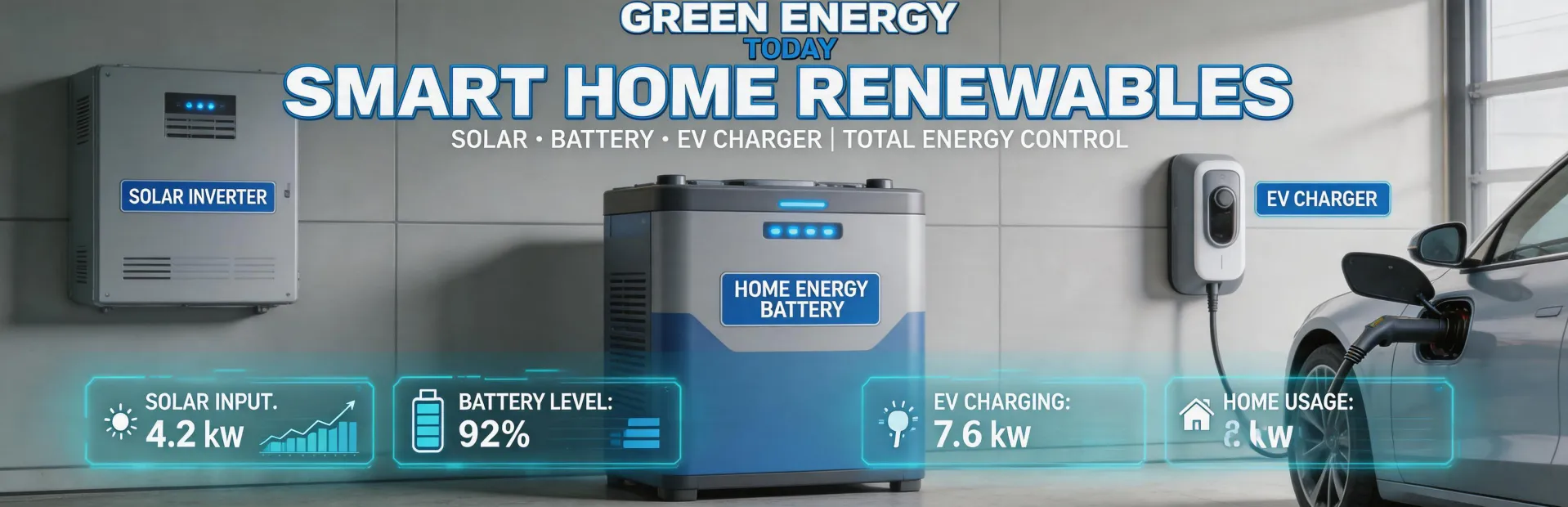
If you've ever tried to spec a solar-plus-storage system by shopping for the cheapest inverter here and a bargain battery there, you know the drill. On paper, the numbers look great. In practice? That's where things get messy.
I manage procurement for a mid-sized commercial solar installer. Over the past 4 years, I've tracked over $1.2 million in component spending across 60+ projects. And I've seen the same pattern play out more times than I'd like to admit: a client chooses a 'cost-optimized' mix of components, and by the time you factor in compatibility workarounds, extra wiring, and commissioning delays, the 'cheap' option ends up costing more than the official ecosystem approach.
Let's compare two paths for a typical 50 kW commercial rooftop with storage: Option A — a fully integrated SolarEdge system (inverters, power optimizers, battery, monitoring). Option B — a mix-and-match setup using a third-party inverter, generic optimizers, and a different brand of battery. And the comparison framework? Total Cost of Ownership (TCO), not just the quote line items.
1. Hardware Cost vs. Compatibility Cost
This is where most people stop looking. Option B's quote is almost always 12–18% lower on the bill of materials. But here's the surface illusion: people assume the savings come from 'smart shopping.' The reality is they come from skipping integration testing.
"From the outside, it looks like Option B is just more efficient. The reality is you're inheriting someone else's compatibility risk."
In Q2 of last year, we had a project where the client insisted on using an older third-party battery they already owned. We paired it with a SolarEdge inverter and a third-party EV charger. The inverter worked fine. The battery worked fine. But the monitoring system couldn't see the battery state of charge properly, because the communication protocol wasn't fully supported. We spent 3 weeks and about $2,800 in engineering hours on a custom gateway script. That 'free' battery cost us more than a new SolarEdge Home Battery would have.
The surprise wasn't the hardware cost difference. It was how much hidden value came with the integrated option—pre-certified communication, one monitoring dashboard, single-vendor support.
Hardware TCO verdict: Option B may look cheaper on the quote, but integration costs routinely erase 60–80% of the apparent savings.
2. Installation Time: The Silent Budget Killer
Installation labor is the second-biggest line item in a commercial solar install. And it's where mix-and-match systems really bleed money.
With Option A (SolarEdge ecosystem), installation follows a documented workflow. We've tracked the average time for a 50 kW system: roughly 40 person-hours for the inverter and optimizer installation, including commissioning. Everything speaks the same language. The SetApp configuration tool recognizes all components automatically.
With Option B? That same install took 58 person-hours on our last comparison. The reasons: manually configuring communication between the inverter and battery (different brands), setting up separate monitoring accounts, and troubleshooting a ground fault that turned out to be a grounding mismatch between the optimizers and the inverter. Pure waste.
At our blended labor rate of $85/hour, that's an extra $1,530 in installation cost for Option B. And that's if nothing goes wrong. If you hit a compatibility snag? It can double.
"The third time we ordered mismatched components, I finally created a compatibility checklist. Should have done it after the first time."
3. Commissioning & Support: Single vs. Multi-Vendor Blame Game
This is the one most people don't think about until they're in it. When you have a SolarEdge inverter, SolarEdge optimizers, and a SolarEdge battery: one phone call, one support ticket, one warranty claim. You don't get passed around.
Per SolarEdge's Form 20-F filing (2023), they shipped 12.6 GW of inverters that year. That scale means they have a support infrastructure. Compare that to piecing together support from three different companies — each of which will naturally blame the other component when something doesn't work.
I've got a specific example. A client's system with a third-party inverter and a SolarEdge battery wouldn't charge properly after a firmware update. The inverter company said it was the battery's fault. SolarEdge support asked if the battery was talking to the inverter correctly — it wasn't, because the inverter's firmware had changed its CAN bus implementation. We spent 11 hours on the phone across both companies. Never got a definitive answer. The client ended up replacing the inverter with a SolarEdge one. That swap alone cost $2,100 in labor and lost generation revenue.
There's something satisfying about a single-vendor system. After the stress of multi-vendor troubleshooting, seeing everything work from one dashboard — that's the payoff.
4. The Long Tail: Monitoring, Software, and Upgrades
Option A's monitoring platform — SolarEdge's Monitoring Portal — gives you real-time data on every optimizer, inverter status, battery state, and EV charging activity in one view. No account juggling, no API integrations. The cost is included in the equipment purchase.
Option B? You'll likely need two different monitoring portals (one for the inverter/optimizers, one for the battery). Some third-party batteries don't even have cloud monitoring. You'll spend more time reconciling data across dashboards than actually using the insights.
And when it comes to software upgrades: SolarEdge pushes firmware updates to the entire ecosystem simultaneously. With mix-and-match, you're at the mercy of each vendor's update schedule. Sometimes a firmware update from one vendor breaks compatibility with another component. This was true 3 years ago, and it's still true today.
"The 'mix-and-match saves money' thinking comes from an era when solar components were simpler. Today's integrated systems have too many interdependencies."
So, Which Path Makes Sense?
Choose Option A (SolarEdge ecosystem) if:
- You value a single support contact and warranty claim
- Your project timeline is tight and you can't afford integration delays
- You want monitoring and software updates to work seamlessly
- You're building a long-term relationship with a client who expects reliability
Choose Option B (mix-and-match) if:
- You have a specific legacy component that must be reused
- Your project is small and simple enough that integration risk is low
- You have in-house engineering expertise to handle custom configurations
- You're okay with spending extra time on commissioning and support
For 90% of commercial installations, I'd recommend Option A. The TCO is lower. The risk is lower. And your client gets a system that actually works as advertised. The 'savings' from mixing components are almost always eaten up by hidden costs — installation overruns, support headaches, and compatibility workarounds. Trust me on this one.

Jane Smith
I’m Jane Smith, a senior content writer with over 15 years of experience in the packaging and printing industry. I specialize in writing about the latest trends, technologies, and best practices in packaging design, sustainability, and printing techniques. My goal is to help businesses understand complex printing processes and design solutions that enhance both product packaging and brand visibility.